Solo
To learn it, and to run a smaller show
$0free
No card, and no end date
- Every kind of cue, fade and trim
- One layer, one act, one screen
- One Mac at a time
Sound, video, projection and a live camera in one running order on your Mac. Solo is free, with no end date.
Version 1.2.0macOS 12 or laterApple silicon and IntelNo card
Next cue: Q1 · Opening music
Shortcut: SpaceGO fires the next cue in the console's running order.
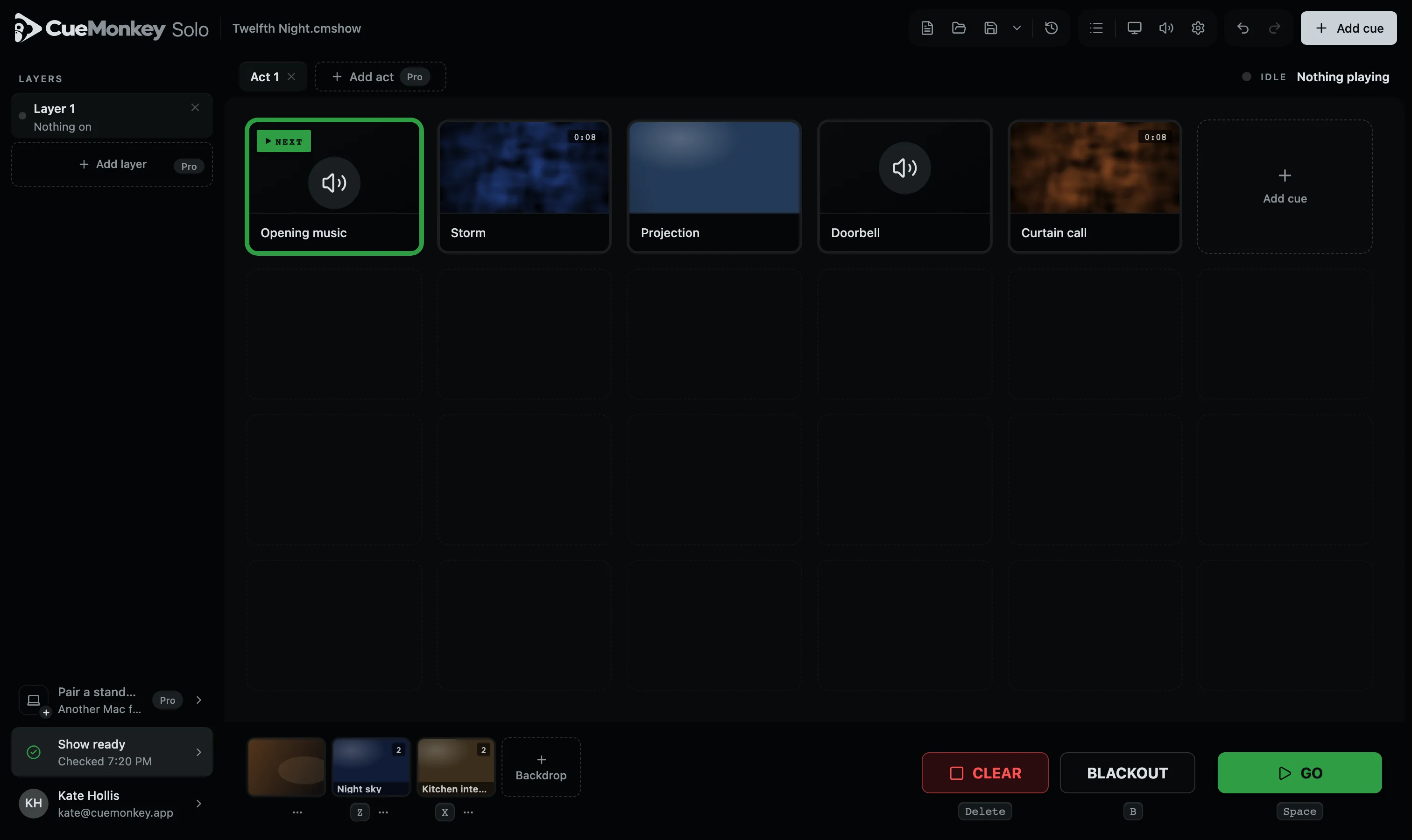
Next cue: Q1 · Opening music
Version 1.2.0macOS 12 or laterApple silicon and IntelNo card
Q1 · The console
Red is playing, green is next, and the key for each is printed under it. Nothing hides in a menu.
On Pro, the same three are on an iPad in your hand, anywhere in the room. CueMonkey Remote for iPad. Coming to the App Store.
Q2 · One file
Sounds, videos, fades and screen settings, all inside one .cmshow. Hand it to the deputy on a stick and it opens exactly as it left you.
Another setup sent by email
CueMonkey the same show
Q3 · Loudness
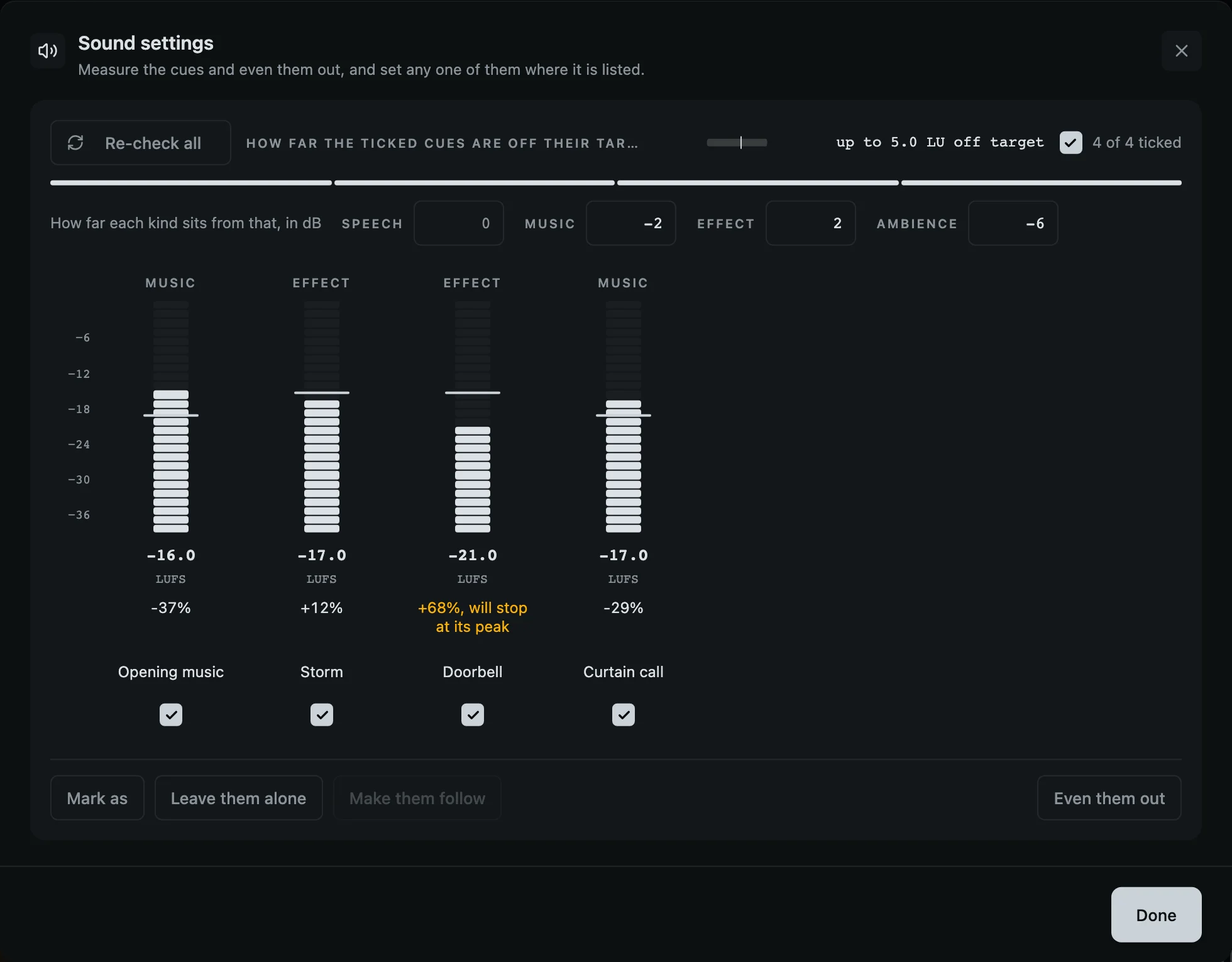
Files from twelve places arrive at twelve volumes. CueMonkey measures each in LUFS, the way broadcast does, and brings the whole list to the level the show sits at.
Your files are never touched: it is a number on the cue, and you can take it off.
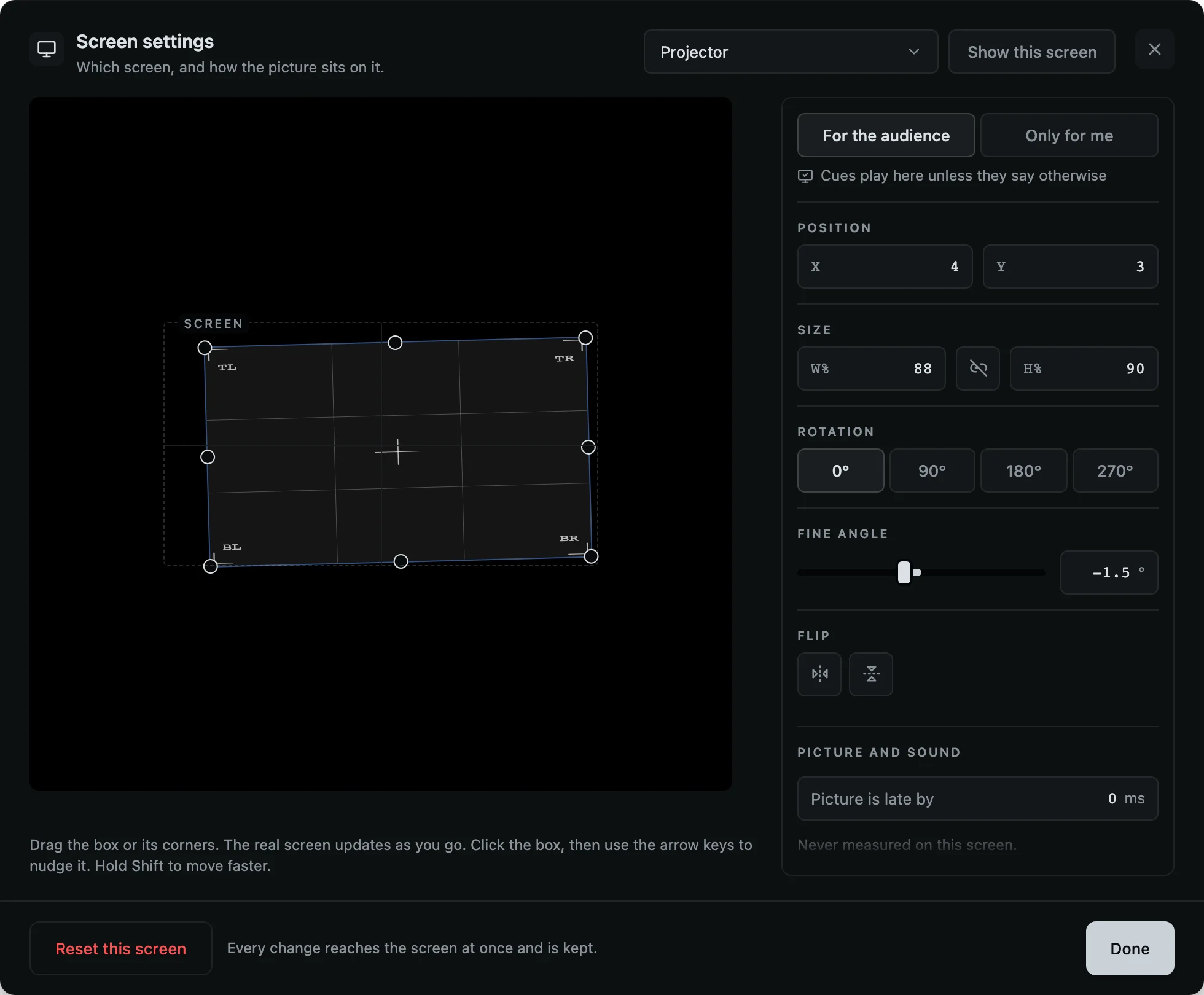
Q4 · The projector
Drag the picture to where it lands on the wall. Turn it, mirror it, pull the corners square with the flats.
Saved under the venue's name, back in one press next time: one venue on Solo, every venue on Pro.
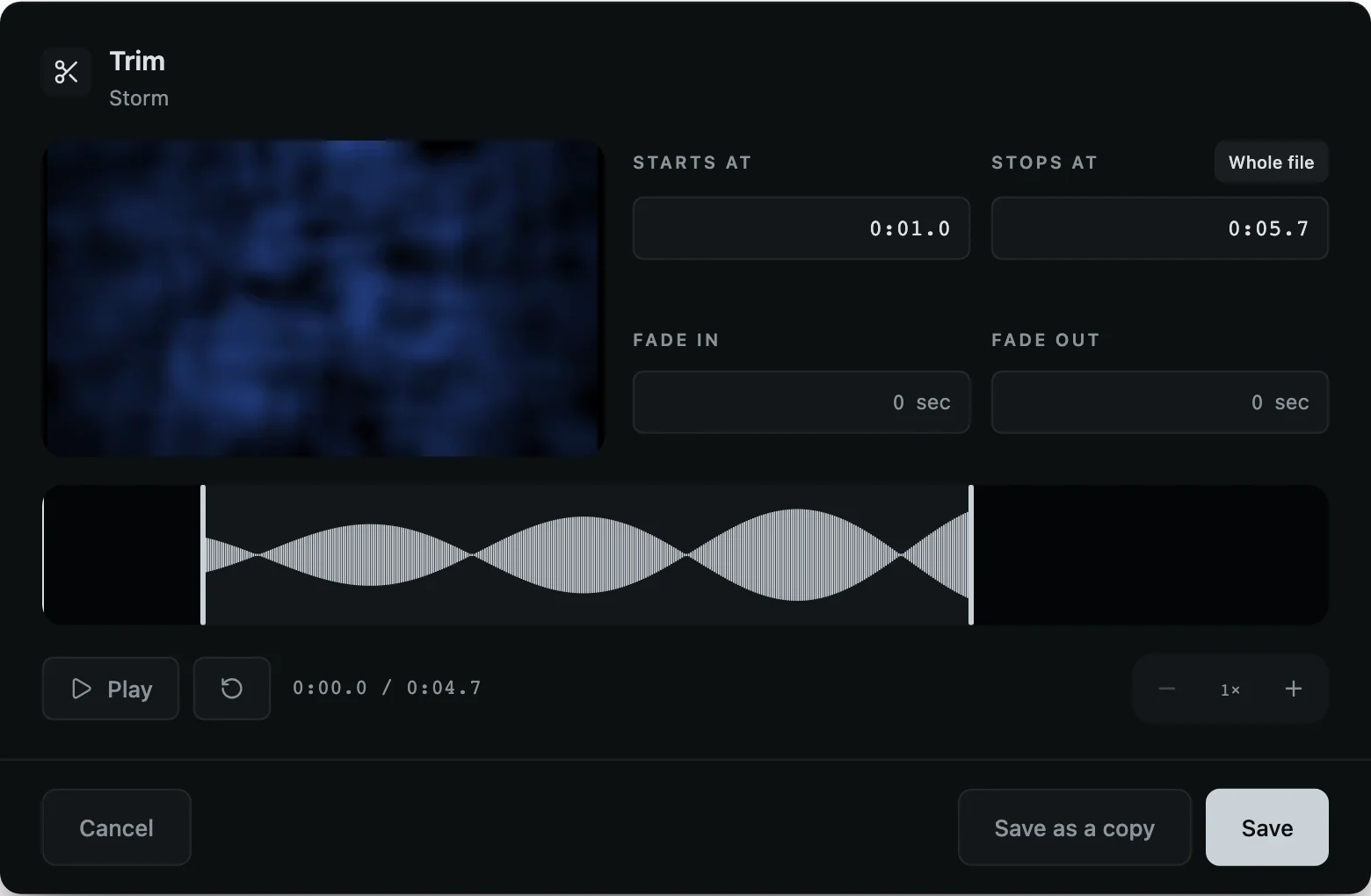
Q5 · Trim
Four seconds of a thirty-second effect: pull the two ends in by hand, or a frame at a time with the arrow keys. No trip to an audio editor.
A trim is two numbers on the cue, not a copy on the disk. Backdrops and a live camera get keys of their own too.
Q6 · Before curtain
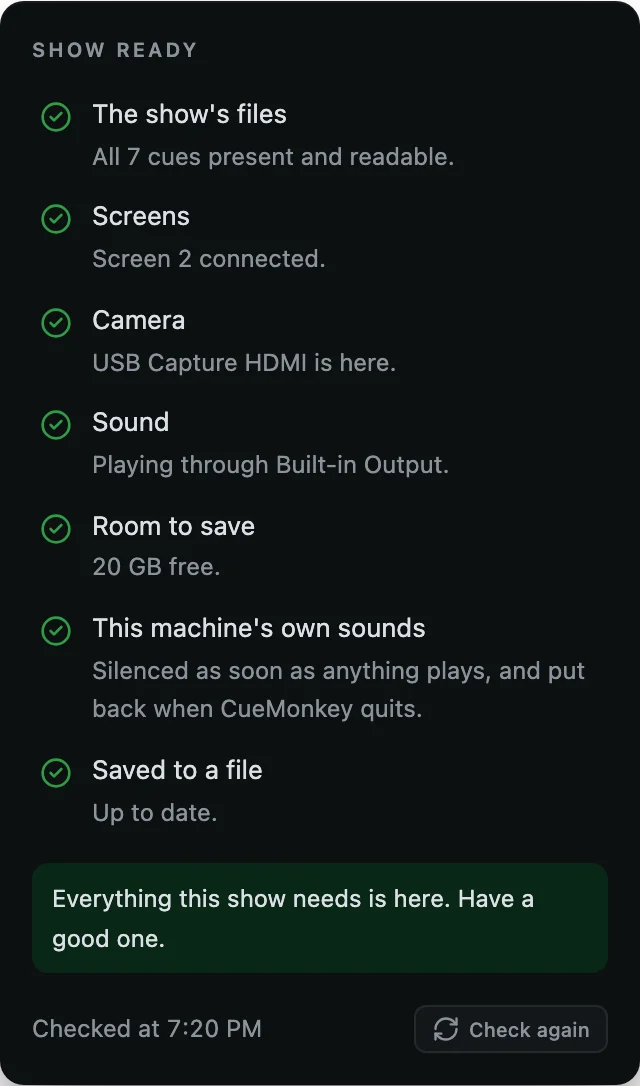
Every file present, every screen connected, the camera found, room to save. Checked in one press before the house opens.
And it runs offline. Nothing about a licence can ever stop a cue.
I have restarted a computer between two cues, with the audience still in their seats. So I built CueMonkey.
Q7 · Pricing
No subscription. Rent Pro for a day or a week and it simply ends, or own it with one payment. Every rented day that has ended comes off the price of owning it.
To learn it, and to run a smaller show
$0free
No card, and no end date
One night: a gala, a conference, a stop on a tour
$15one day
Ends on its own at midnight
Tech week, the rehearsals and the shows
$45seven days
$6.43 a day
For a company that does this every season
$399once
Every 1.x update, nothing renews
A show is a show. Anything built on Pro opens on Solo, plays on Solo and can be edited on Solo, every layer and every act of it. Nothing in a show file is locked to a plan.
Q8 · Questions
Free, with no end date and no card. It runs a whole show: every kind of cue, every fade and every trim, as many cues as the show needs, on one layer, one act and one screen for the audience.
No. A licence never stops a show. A rental that ends in the middle of a performance stops nothing: every cue in the running order still fires, to the end of the evening and after it.
When a rental ends, what stops is adding the things it paid for: another layer, another act, another screen for the audience. Your shows and your files are untouched.
A rental bought ahead switches itself on when its day comes, with no internet that day. The Mac needs to have been online once after you bought it, so it knows the rental is there: open CueMonkey on it with a connection any time before the day.
Solo is one Mac at a time, and you move it yourself, at once, from the sign-in window or from your account page.
Pro is two Macs on one licence: the one running the show, and a standby that follows every GO and takes over with one press.
No. A day and a week end on their own and nothing renews. Owning it is one payment. Your card is not kept on file.
Sales tax or VAT, where it is owed, is worked out from the country you bill to and shown before you pay.
We give Pro to schools, colleges and charities. Tell us who you are and what it is for, with the form below, and a person reads it. There is no code to find and nothing to prove up front.
Not yet. CueMonkey is for the Mac today: macOS 12 or later, on Apple silicon and Intel.