A Screen Monkey alternative for Mac
Screen Monkey is Windows software, and a lot of theatres run their sound and video from a Mac. CueMonkey was written for that booth, by somebody who ran shows on Screen Monkey for years and liked it.
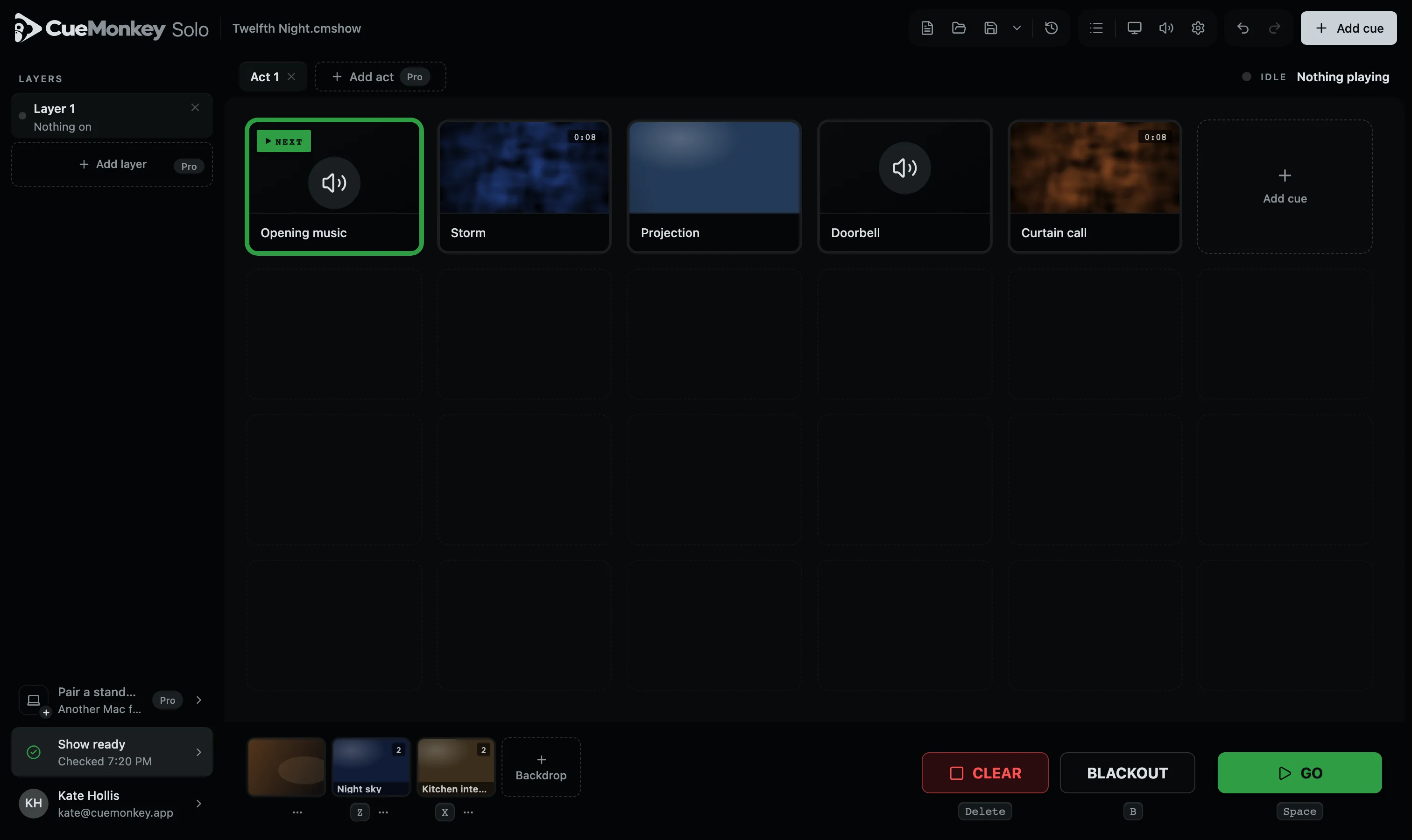
What will feel familiar.
If you have run a show from a list of cues on one key, you already know how to run one here.
Put your audio, video and images in the order they happen. The space bar fires the next one. B takes every screen to black, and Delete takes the show off.
What is different.
- Made for the Mac
- One app for Apple Silicon and Intel, signed and notarised by Apple. It opens like any other Mac app.
- The whole show in one file
- Every sound, video and picture travels inside the show file. Put it on a memory stick and it plays on any other Mac with CueMonkey.
- Quiet during a show
- From the first cue, the Mac's own alert sounds go to nothing, and they come back when you are done.
- A check before the house opens
- A row of lights says whether every file is there, which screen is connected, whether the camera is plugged in, where the sound is going and whether there is room to save. It looks again on its own all evening.
- A camera on a screen
- A webcam, a capture card or an iPhone next to the Mac goes on a screen the way a backdrop does, chosen by its picture. If the cable comes out the screen goes black rather than freezing, and comes back on its own.
- Levels by kind
- Every cue is measured the way broadcasters measure, and speech, music, effects and ambience each sit their own distance from the show's level.
- The evening written down
- Every run keeps a log. If it ever closes without quitting it says so next time, brings the show back, and can send the log to the people who look after it, when you press Send.
- Screens set up per venue
- Drag the picture into place on the projector, rotate or flip it, and save the whole room under its name.
- Solo is free, and not a trial
- Every kind of cue, every fade and every trim, on one layer, in one act and on one screen for the audience. One Mac at a time, moved whenever you like, with no watermark and no end date. Pro adds layers, acts and screens, a locked copy to hand a show over, and two Macs on one licence: the one running the show and a standby that follows every GO. An account is needed to build shows; running one never needs it.
Moving a show over.
There is no importer for Screen Monkey files. Moving a show means dragging the same audio, video and images in and putting them in order, which for most shows takes minutes, because the cues are files you already have.
Screen Monkey belongs to its owner and is named here only to say what this page is about. CueMonkey is not connected with it.